Millionaire Services The Millionaire Blueprint: Crafted for Success
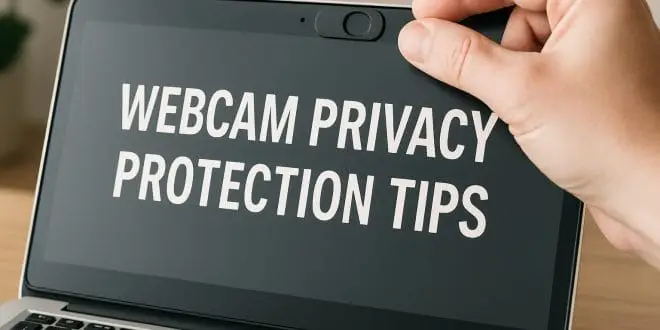
Webcam spying is a real threat.
Although it may seem unlikely, your webcam can reveal more than you realize. If you own a laptop or desktop with a camera, stay alert. Similarly, hackers often gain access without triggering any visible warnings. As a result, silent breaches can record your surroundings and compromise your privacy. That’s why these webcam privacy protection tips are essential.
Malware often installs silently.
For instance, most webcam hacks begin with malware. However, clicking a suspicious email or pop-up ad can install spyware. Above all, this software operates quietly in the background, opening remote access to your camera and microphone. Even if your device is idle, it may still be vulnerable. Therefore, maintaining smart browsing habits is critical.
Sleep mode isn’t enough.
Although closing your laptop seems secure, sleep mode still allows access in many cases. In addition, hackers can activate video and audio remotely without your knowledge. For added protection, power down your device entirely when not in use. The more control you maintain, the less chance for intrusion.
Physically block your webcam.
One of the simplest solutions is a physical webcam cover. You can use tape, a sticker, or a purpose-built sliding cover. While this doesn’t block audio, it does stop unwanted video surveillance. Because these covers are cheap and effective, they offer immediate peace of mind. Add this step to your daily tech routine.
Use reliable antivirus protection.
Besides physical measures, strong antivirus software is essential. Tools like Bitdefender, Norton, or Malwarebytes scan for spyware and remote-access programs. Additionally, enabling firewalls and closing unused ports can block threats before they start. Combined, these defenses create a strong digital shield.
Audit your system often.
To remain secure, check your webcam settings regularly. On Windows or Mac, review app permissions and disable unnecessary camera access. Also, watch for unusual behavior, like red lights or sudden activation. If something feels off, investigate immediately. Frequent audits boost both control and awareness.
Stay in charge of your privacy.
In conclusion, protecting your webcam requires action and vigilance. Use webcam covers, turn off unused devices, and maintain strong antivirus defenses. Moreover, these webcam privacy protection tips empower you to guard your digital space. In a connected world, your privacy is worth protecting every single day.
Millionaire Services, LLC participates in the Amazon Services LLC Associates Program, an affiliate advertising program designed to provide a means for sites to earn advertising fees by advertising and linking to Amazon.com. The Safety Trap: A Security Expert's Secrets for Staying Safe in a Dangerous World Home Security: The Secure Dad's Guide: Easy Home Defense Techniques to Keep Your Family Safe Practical Home Security: A Guide to Safer Urban Living Defend Yourself: A Comprehensive Security Plan for the Armed HomeownerAdditional Resources:
To learn more, visit safety and security.